> For the complete documentation index, see [llms.txt](https://innoviamail.gitbook.io/innoviamail/llms.txt). Markdown versions of documentation pages are available by appending `.md` to page URLs; this page is available as [Markdown](https://innoviamail.gitbook.io/innoviamail/subscriber-opt-in-forms/exit-intent-and-display-rules.md).

# Exit intent and display rules

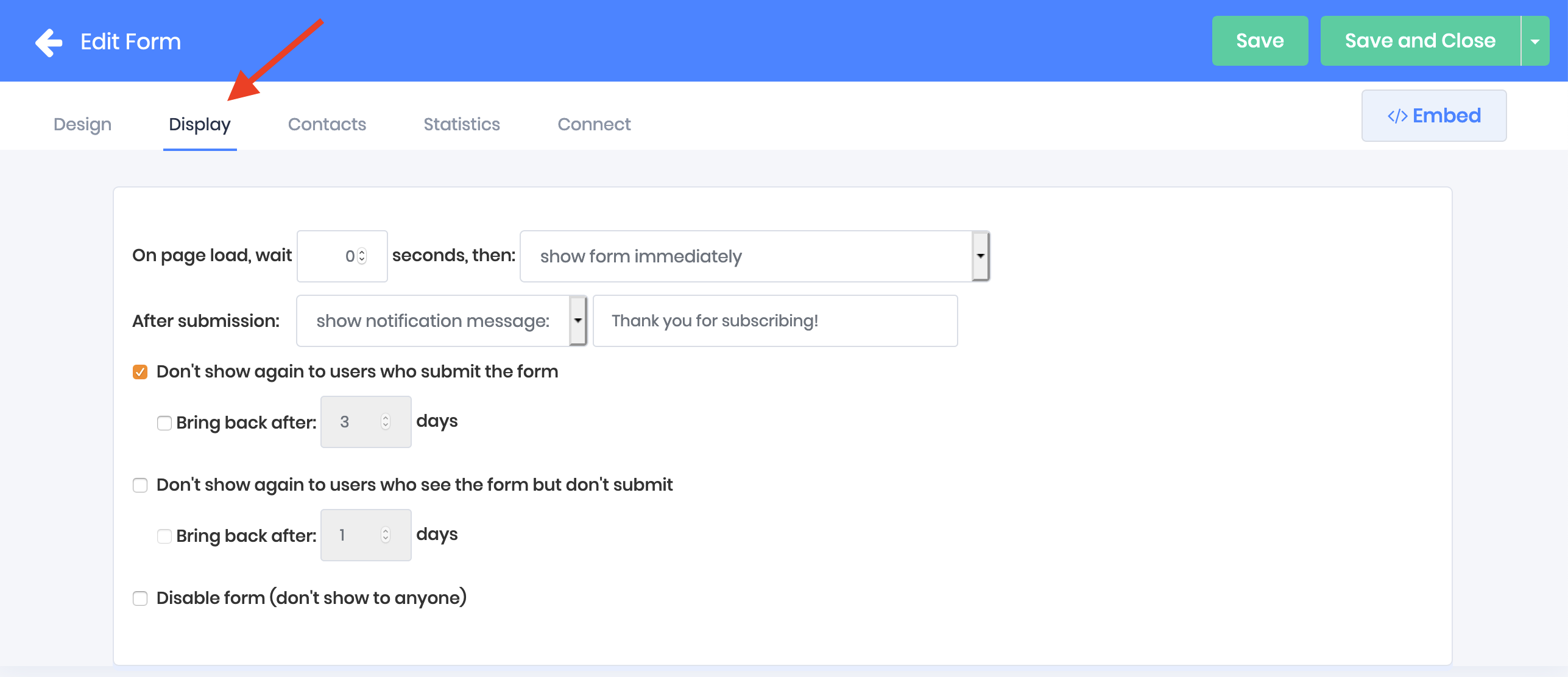
The display tab is where you

* Enable exit intent
* Set a timer for how long to wait before your form is shown
* Write your thank you text for opt-in confirmations
* Specify a URL to redirect subscribers to after signup
* Specify how often the form should be shown to each visitor

<figure><img src="https://docs.emaildelivery.com/~gitbook/image?url=https:%2F%2Fd2x3xhvgiqkx42.cloudfront.net%2Fe0384b56-4f90-47bf-9077-d8a44f0eb175%2F2a05d828-eb35-44b0-9b70-bfc4c7204e36%2F2019%2F04%2F28%2F5a737d3c-b3a9-4e00-936d-7c14b8598788%2F4514380b-a461-4176-b18b-2813f3bace7a.png&#x26;width=768&#x26;dpr=4&#x26;quality=100&#x26;sign=f2333146e5990f79111d698823308924090ad9fdb64b34977f4434ee4a94a23a" alt=""><figcaption></figcaption></figure>

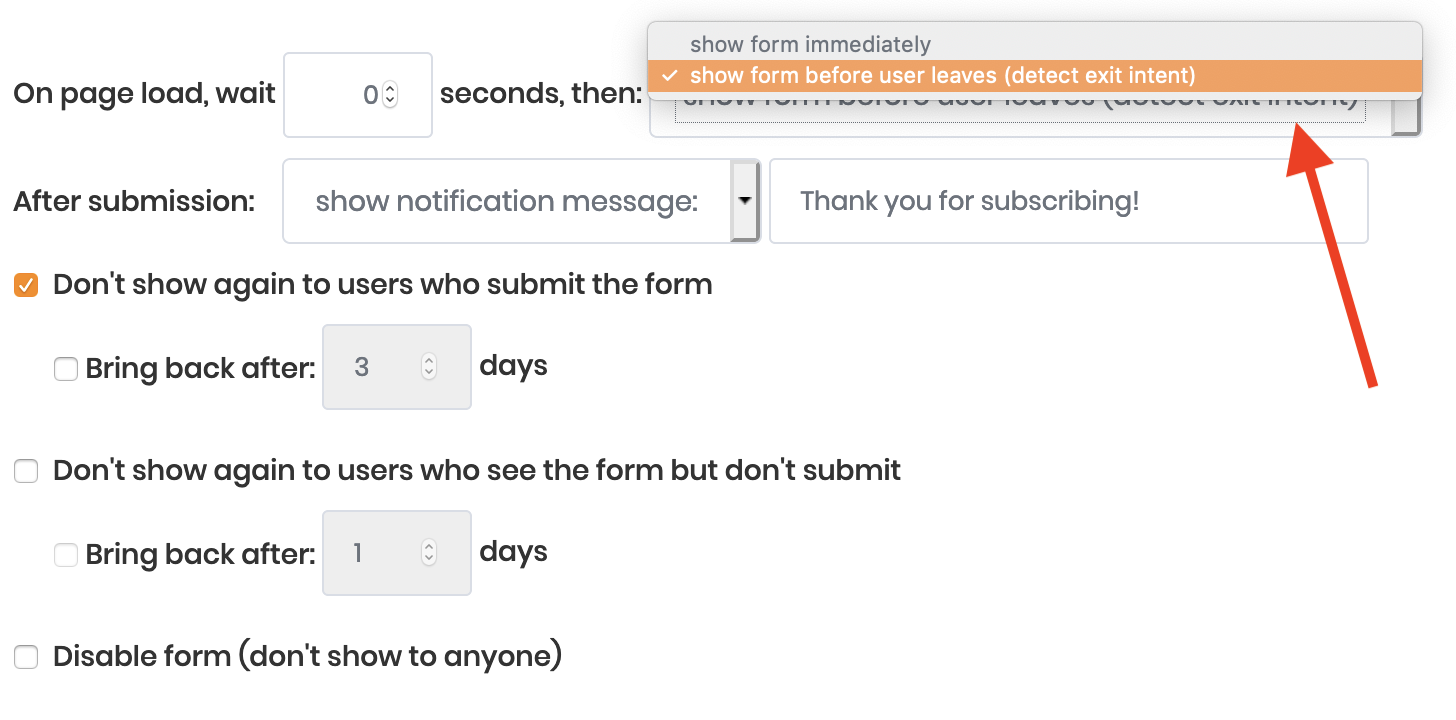
Exit intent waits until a user is detected moving their mouse or scrolling on their phone in a way that indicates they're about to leave the site.

When exit intent is enabled, the form will popup to interrupt the users exit and grab their attention, prompting them to enter their email address before they leave.

Switch the "on page load" dropdown to exit intent instead of "show form immediate" to turn exit intent on

<figure><img src="https://docs.emaildelivery.com/~gitbook/image?url=https:%2F%2Fd2x3xhvgiqkx42.cloudfront.net%2Fe0384b56-4f90-47bf-9077-d8a44f0eb175%2F2a05d828-eb35-44b0-9b70-bfc4c7204e36%2F2019%2F04%2F28%2Fef0e6471-e3fd-4601-a2f9-1d970079d191%2Fb972cebc-b5dc-4ee4-8c29-aea270823a53.png&#x26;width=768&#x26;dpr=4&#x26;quality=100&#x26;sign=afac0ca792c8ed3b50656041cb0a2a76bcf66d4fbe7731d2729fbf7987a65d38" alt=""><figcaption></figcaption></figure>

Once a subscriber has opted in to your form, they will be shown a thank you message as a small green alert like this

<figure><img src="https://docs.emaildelivery.com/~gitbook/image?url=https:%2F%2Fd2x3xhvgiqkx42.cloudfront.net%2Fe0384b56-4f90-47bf-9077-d8a44f0eb175%2F2a05d828-eb35-44b0-9b70-bfc4c7204e36%2F2019%2F04%2F28%2F5e632020-e9b0-4d51-bc47-a4e87c8d80ec%2F85bc0f80-634d-4049-af49-3544dc6a0097.png&#x26;width=768&#x26;dpr=4&#x26;quality=100&#x26;sign=438330b3c5669971eea3b7dfb53f63c85684d0c8518e17ac633853ad4c946d6f" alt=""><figcaption></figcaption></figure>

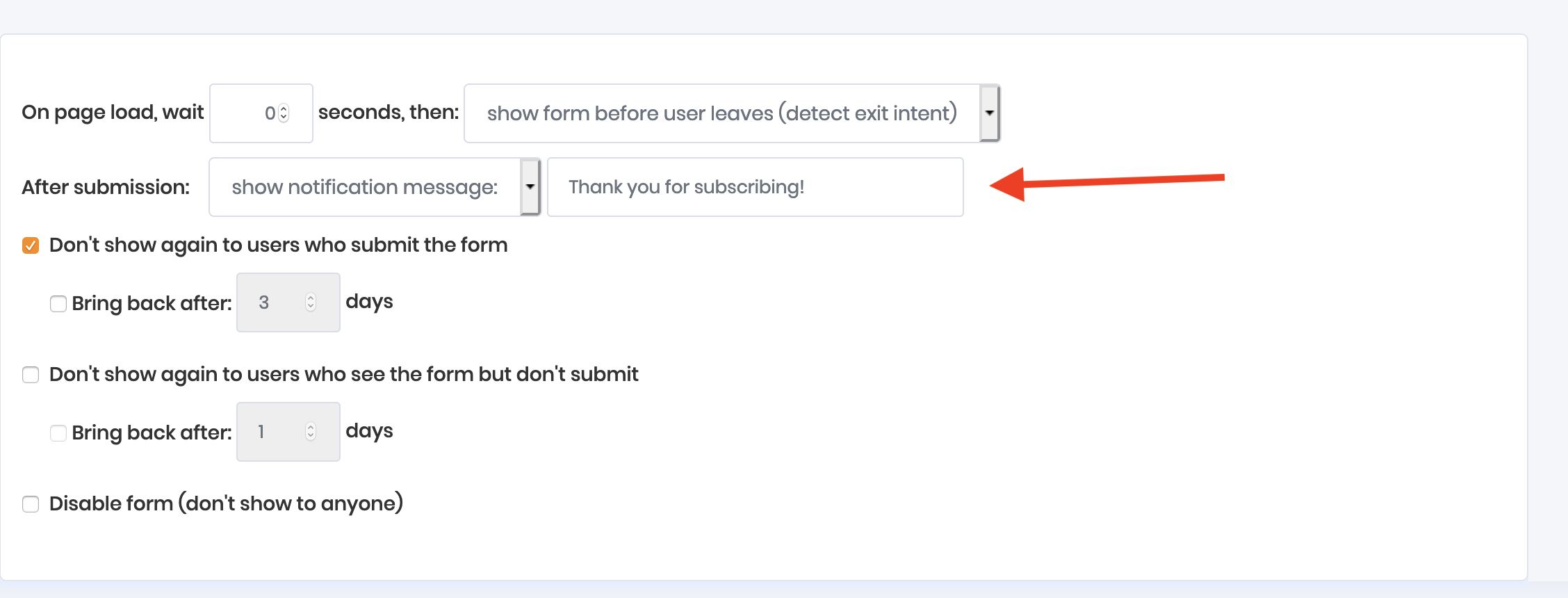
Configure the text shown by the success message here:

<figure><img src="https://docs.emaildelivery.com/~gitbook/image?url=https:%2F%2Fd2x3xhvgiqkx42.cloudfront.net%2Fe0384b56-4f90-47bf-9077-d8a44f0eb175%2F2a05d828-eb35-44b0-9b70-bfc4c7204e36%2F2019%2F04%2F28%2F0cb21fa7-5cf2-4ef4-90f2-9056e37f4675%2F10dcafe5-c54a-47ec-a22a-267caeb1a345.png&#x26;width=768&#x26;dpr=4&#x26;quality=100&#x26;sign=d6a99fa79747b74b5045af202b64d672e00fc773e4b101dbc4d33698d6c33ba6" alt=""><figcaption></figcaption></figure>

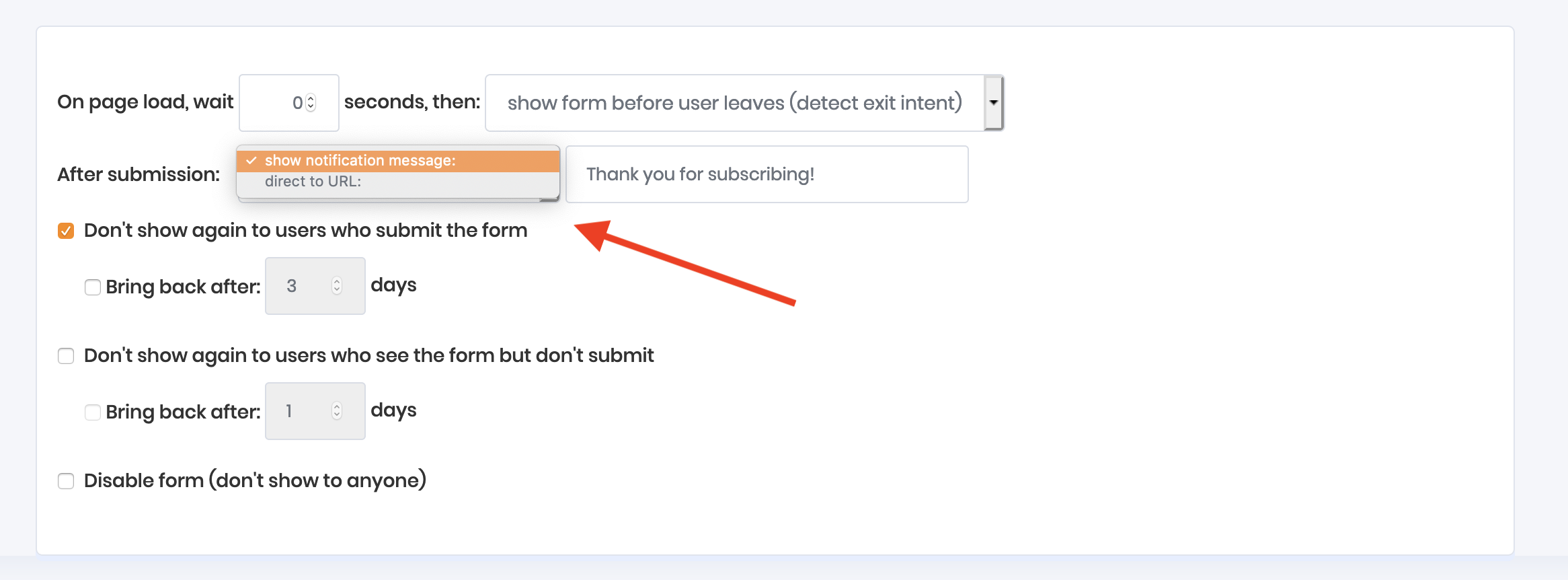
To redirect subscribers to a different URL once they've subscribed instead of showing them a success message alert, use the dropdown next to the thank you text

<figure><img src="https://docs.emaildelivery.com/~gitbook/image?url=https:%2F%2Fd2x3xhvgiqkx42.cloudfront.net%2Fe0384b56-4f90-47bf-9077-d8a44f0eb175%2F2a05d828-eb35-44b0-9b70-bfc4c7204e36%2F2019%2F04%2F28%2F6371c414-0f97-4c52-9383-32e5f941729a%2Fea5f5c69-966c-443c-a501-04a839fdf4da.png&#x26;width=768&#x26;dpr=4&#x26;quality=100&#x26;sign=7800581aa5dc6ebd1da8dbefa54cba2645a32b4d01a96ddfcbc5d7112d4ef175" alt=""><figcaption></figcaption></figure>

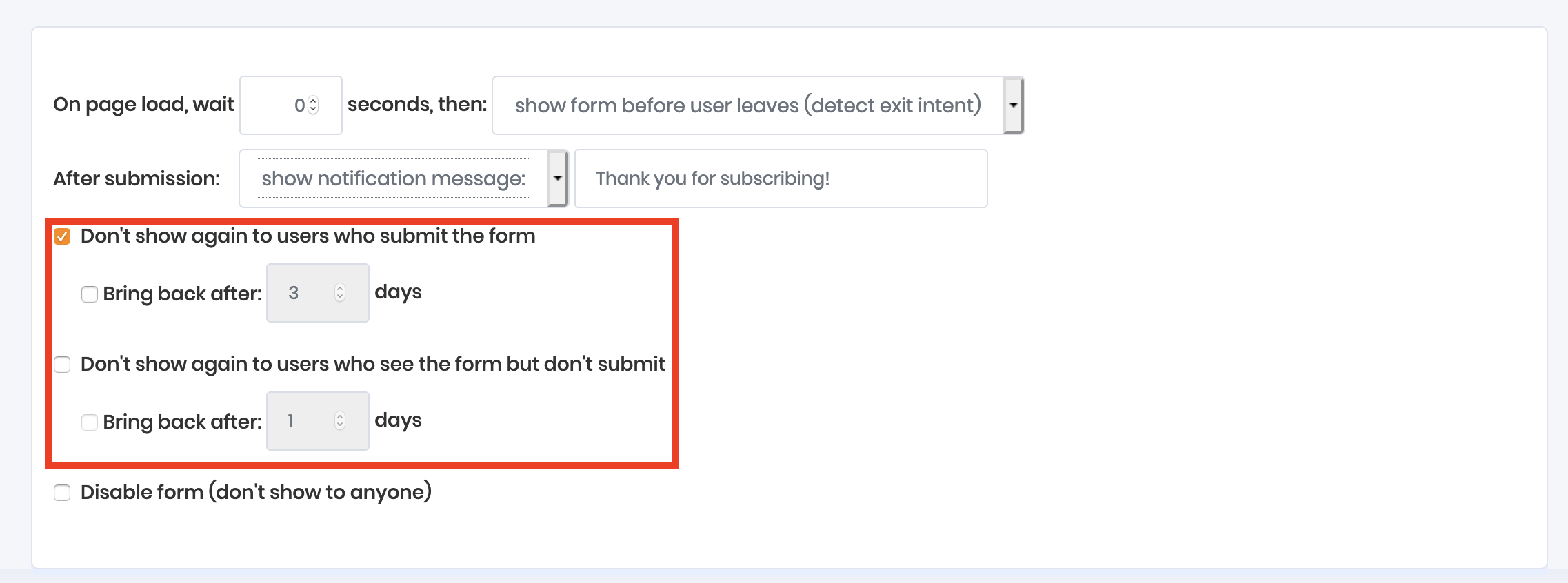
By default, visitors will be shown your form every time the page is loaded until they subscribe. Once they subscribe, the form then stop being shown to them. You can modify those settings here

<figure><img src="https://docs.emaildelivery.com/~gitbook/image?url=https:%2F%2Fd2x3xhvgiqkx42.cloudfront.net%2Fe0384b56-4f90-47bf-9077-d8a44f0eb175%2F2a05d828-eb35-44b0-9b70-bfc4c7204e36%2F2019%2F04%2F28%2F75e56dc7-4692-4580-b75b-44d423536998%2Febbbc05a-8ccc-40a9-aa73-f656bd5f54c6.png&#x26;width=768&#x26;dpr=4&#x26;quality=100&#x26;sign=002c2e419b3271f62a5a33d49369248bc15b55a4d3aa113bafcb2c48fd41d4ad" alt=""><figcaption></figcaption></figure>

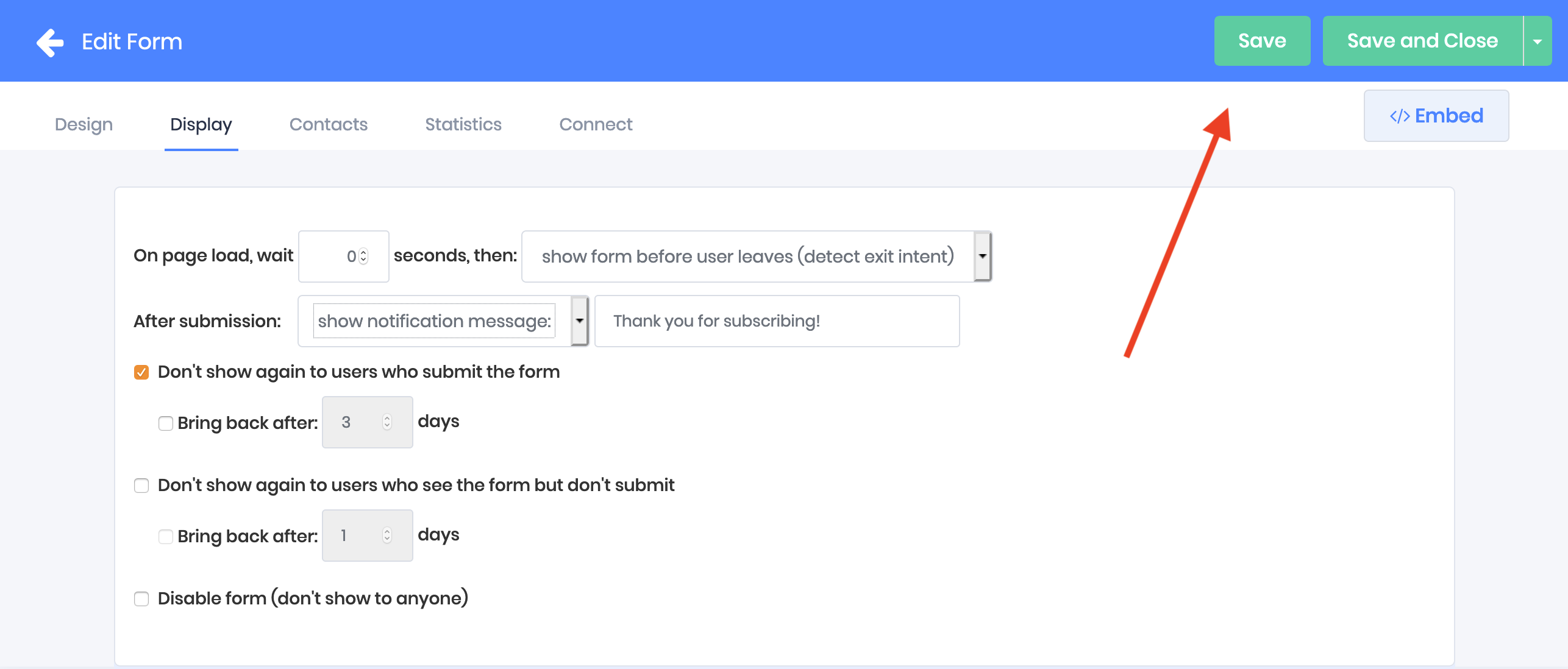
Click save to push your changes to the server

[<br>](https://docs.emaildelivery.com/docs/subscriber-opt-in-forms/choosing-your-form-type-floating-bars-lightboxes-inline-naked-embedded-slide-outs)
<figure><img src="https://docs.emaildelivery.com/~gitbook/image?url=https:%2F%2Fd2x3xhvgiqkx42.cloudfront.net%2Fe0384b56-4f90-47bf-9077-d8a44f0eb175%2F2a05d828-eb35-44b0-9b70-bfc4c7204e36%2F2019%2F04%2F28%2F8e90cb94-74e1-4763-bea5-dc8a66f74f97%2Fc6365784-218b-4366-b66e-a6acf0b8dd53.png&#x26;width=768&#x26;dpr=4&#x26;quality=100&#x26;sign=9ef3bbb6082fd4b034492484dad4a0f57c106270bef0a6275f4688453ac2394a" alt=""><figcaption></figcaption></figure>